COGNITIVE ERGONOMICS
Redesigning infusion pumps to reduce unintentional errors.
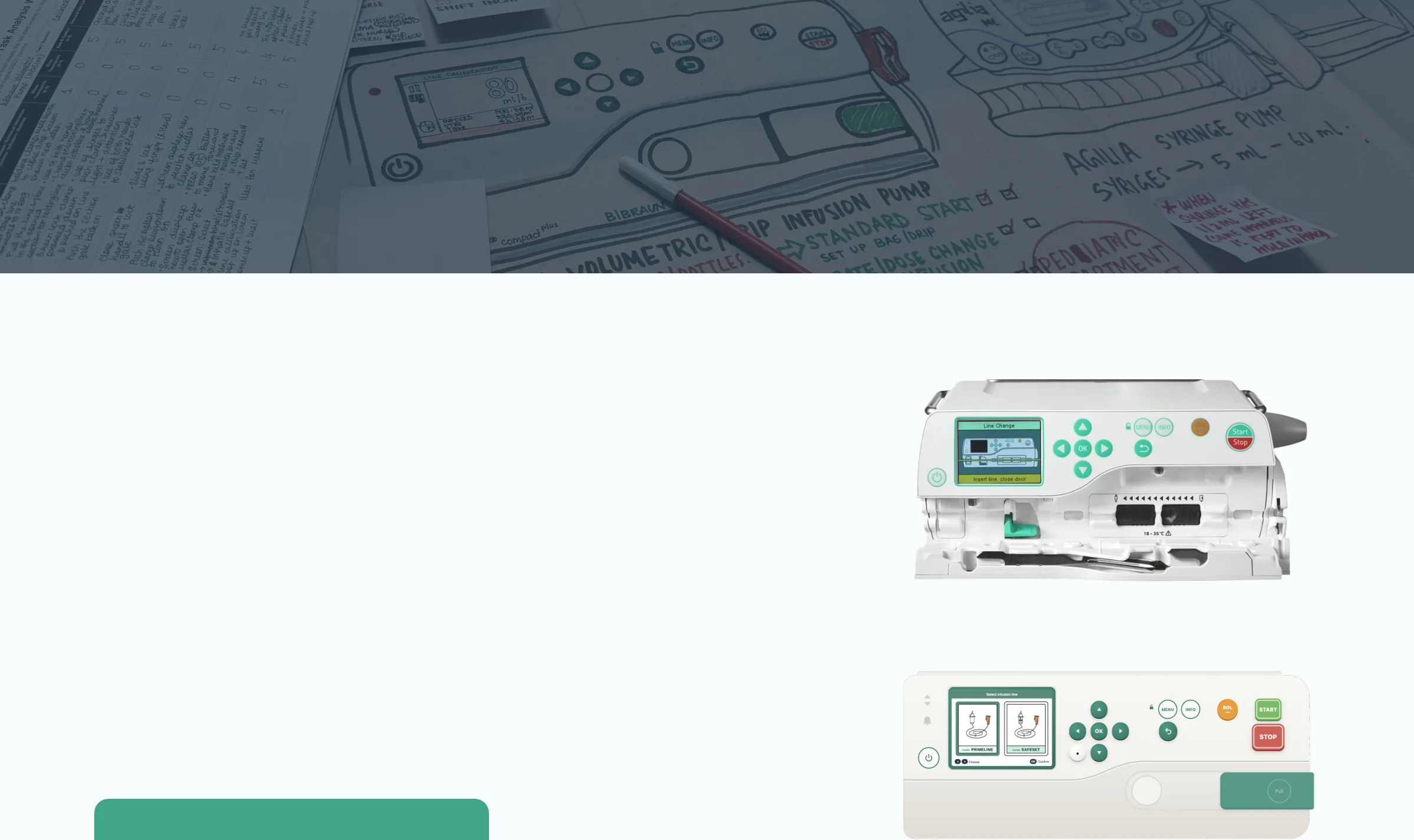
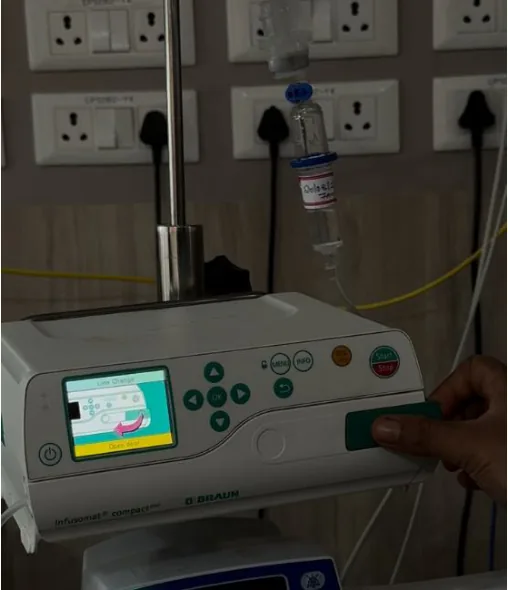
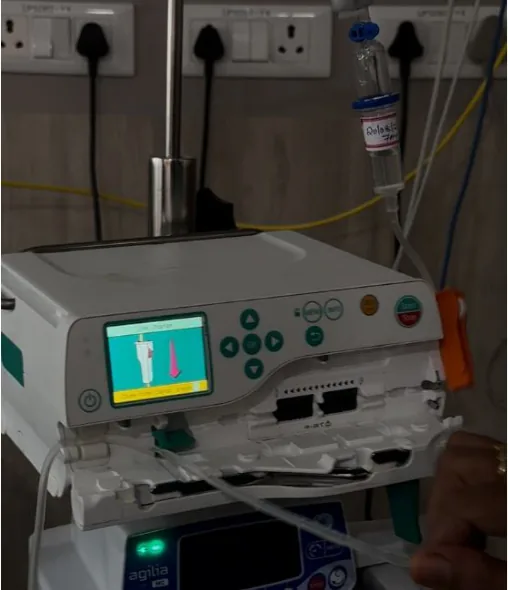
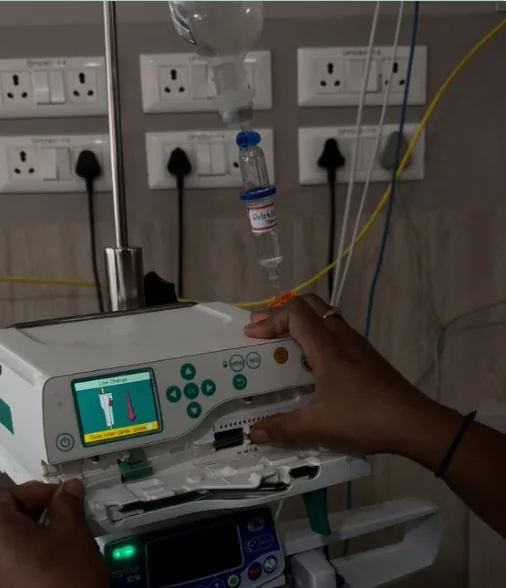
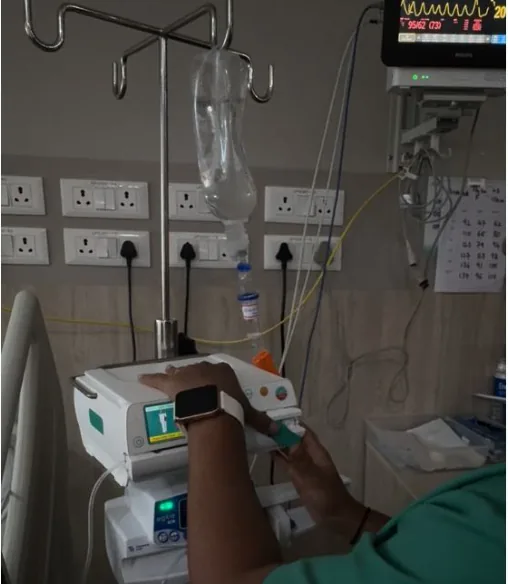
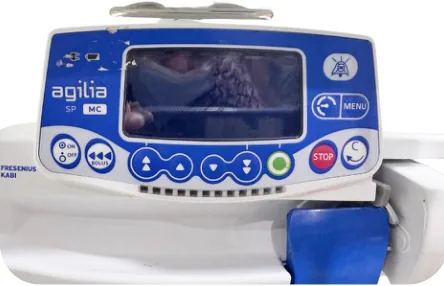
From this in real life
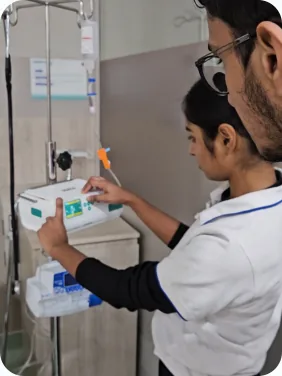
We observed paediatric ward (PICU) staff set up pumps, noted errors and redesigned
controls to align with their thinking.
Click here to see prototype
to this prototype
METHODS
TEAM
MY ROLE
SETTING
Ria Mehta & Ishaan Choudhary
Field research, DISCO Analysis, Interface Design
Paediatric ICU, Manipal Hospital, Bengaluru
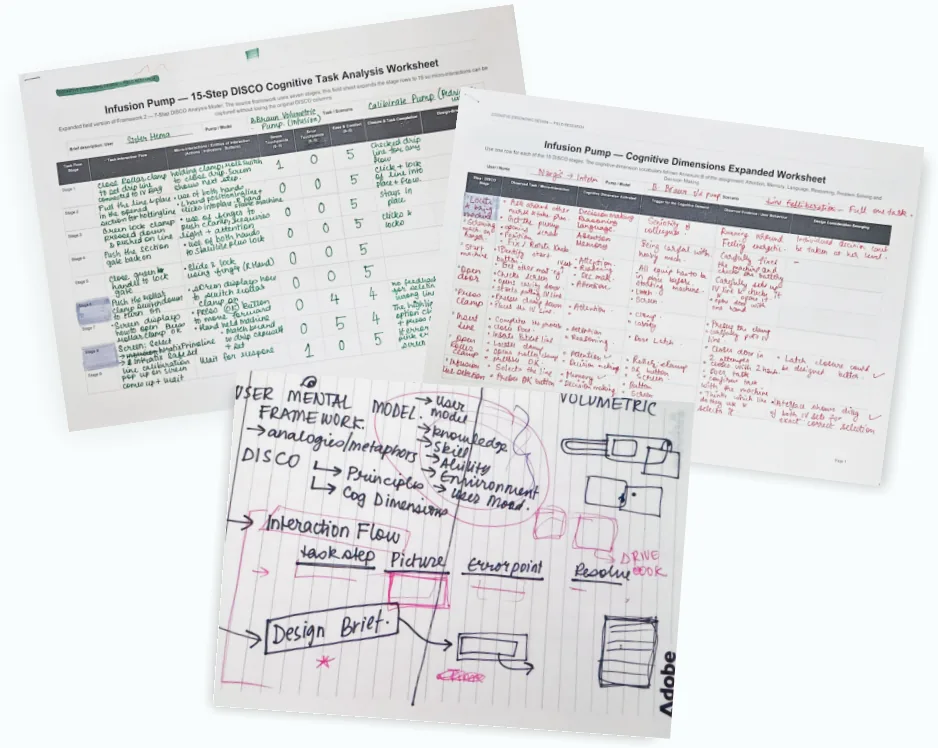
Observation, DISCO Analysis, Interviews & Primary research


The project in 30 seconds
PROBLEM
WHAT WE FOUND
WHAT WE CHANGED
In a paediatric ICU, infusion pumps are used daily. One wrong action can cause harm.
Nurses juggle patients. Errors happen when machines don’t fit their models.
New controls and layouts for both pumps that reduce unintentional errors.
THE SIX CHANGES MADE
agilia
BACK
MENU
SP
MC
STOP
ON/OFF
START
BOLUS
OK
1. Calibration error
2. Rate entry
3. IV set visuals
4. Start and Stop
5. Screen display
6. Syringe keypad

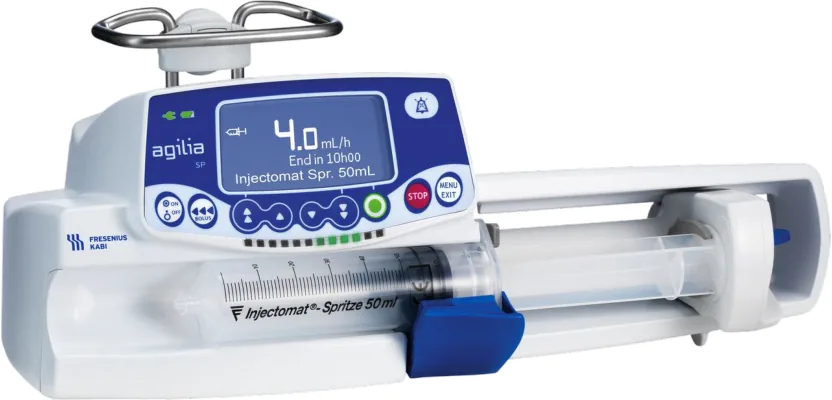
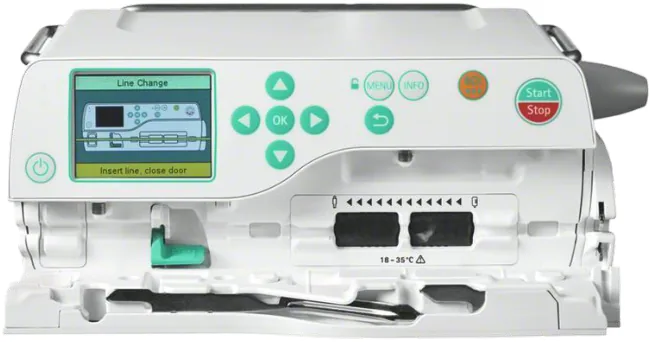
Volumetric infusion pump
Syringe infusion pump
B. Braun Infusomat Compact Plus
Fresenius Kabi Agilia SP MC
Fingers press IV tubing, squeezing fluid like a wave. Holds IV bag for fluids, antibiotics and blood products. Designed for large volumes.
A motor drives a screw that pushes the syringe plunger at a slow speed. Holds 10, 20, or 50 mL syringes for small volumes.
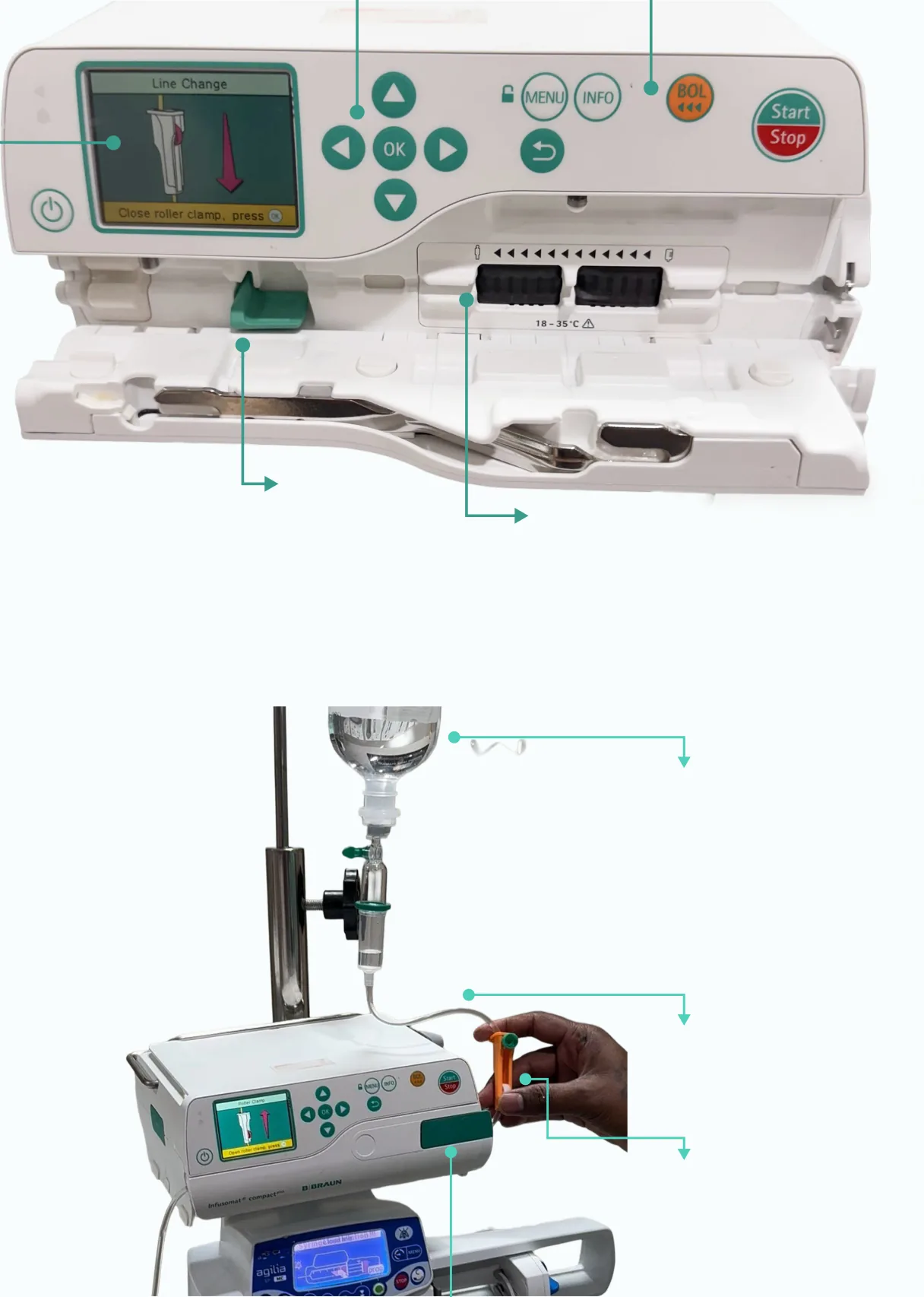
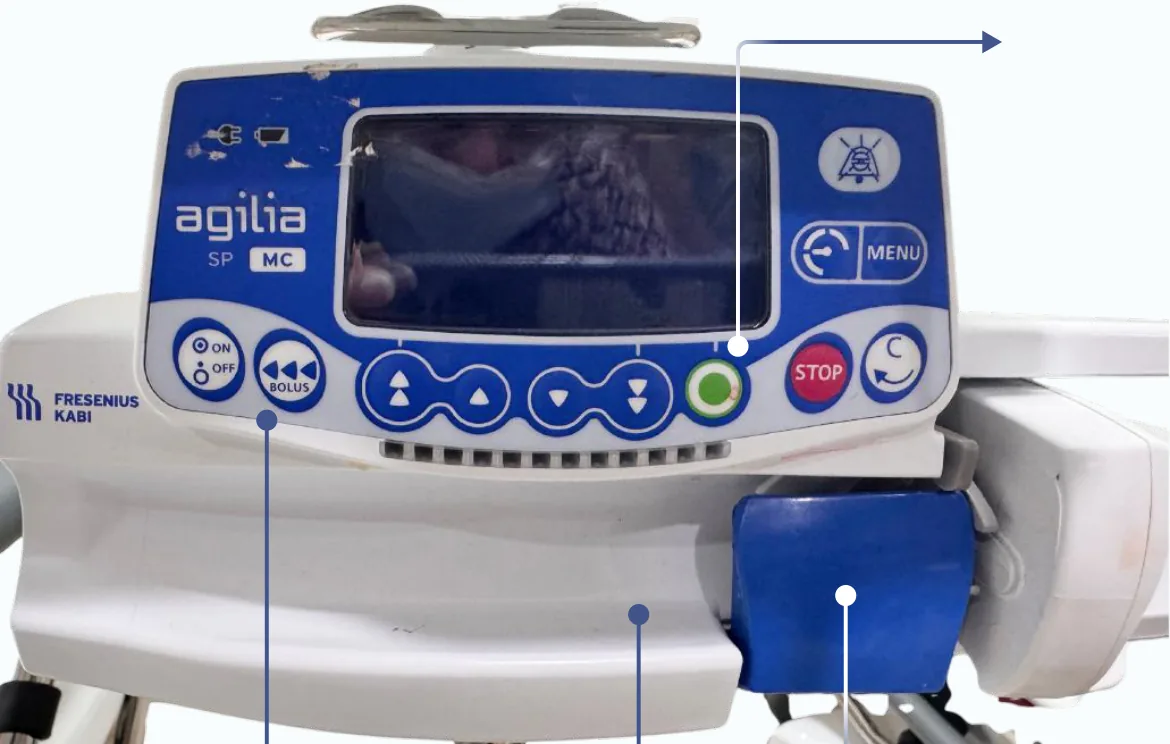
Anatomy of the infusion pumps and accessories
Only the parts that need explaining, or that carry a design finding, are labelled.
BOLUS
Button for giving medication with faster rate
Directional Keys + OK
Volumetric infusion pump with the IV line cavity open
Display
Green Clamp Seat
Pumping Cavity
IV line goes here
Volumetric infusion pump with the IV line going through the cavity
IV Bag
Contains Medication
IV Line
Goes inside pumping cavity
Roller Clamp
Manual medication Flow Control, Open before starting
Door (Pumping Cavity)
OK/START Button
Syringe Infusion pump
Alarm Silence Button
Digit after decimal
Whole Digit
BOLUS
Syringe Clamp
Button for giving medication with faster rate
Syringe Cavity
Syringe goes here
Understanding Mental Models
A mental model is the nurse’s view of how an infusion pump works, shaped by experience, peer actions and
training. It influences their screen reading, expectations and setup actions for a critically ill child.
Where that picture and the pump’s real interface disagree is
where hesitation, errors and stress build up. Designing
around those gaps, with clearer prompts, better feedback and controls that behave the way nurses expect, makes set- up smoother and safer.
01
02
03
04
05
Observe
Score
Model
Review
Interview
4 set-ups
DISCO, 0 to 5
Mental model mapper
Gestalt audit
5 people
Four participants set up a pump. Two sessions had a patient present.
Error and stress rated 0–5 at every step against a written rubric.
What each person expects the pump to do before they touch it.
Each front panel checked against Gestalt and visual design principles.
Five people, from the paediatrician to the biomedical engineer.
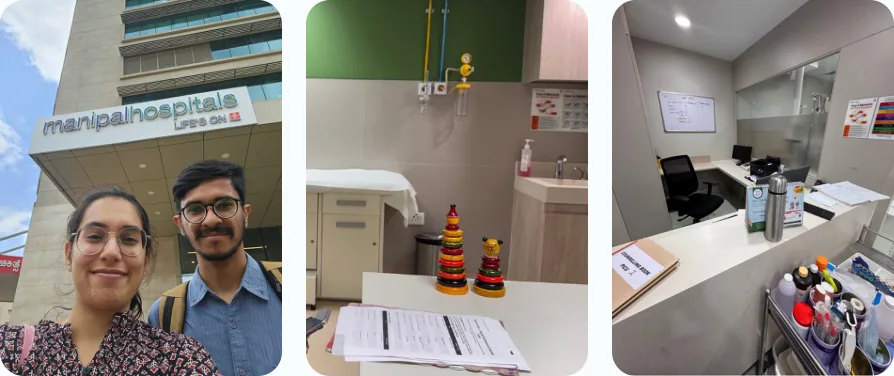
ON SITE at Manipal Hospital, Yelahanka
Our site visits to the PICU, where we observed nurses setting up pumps and spoke with the staff who use them.
Click here to read field notes
Read the field notes
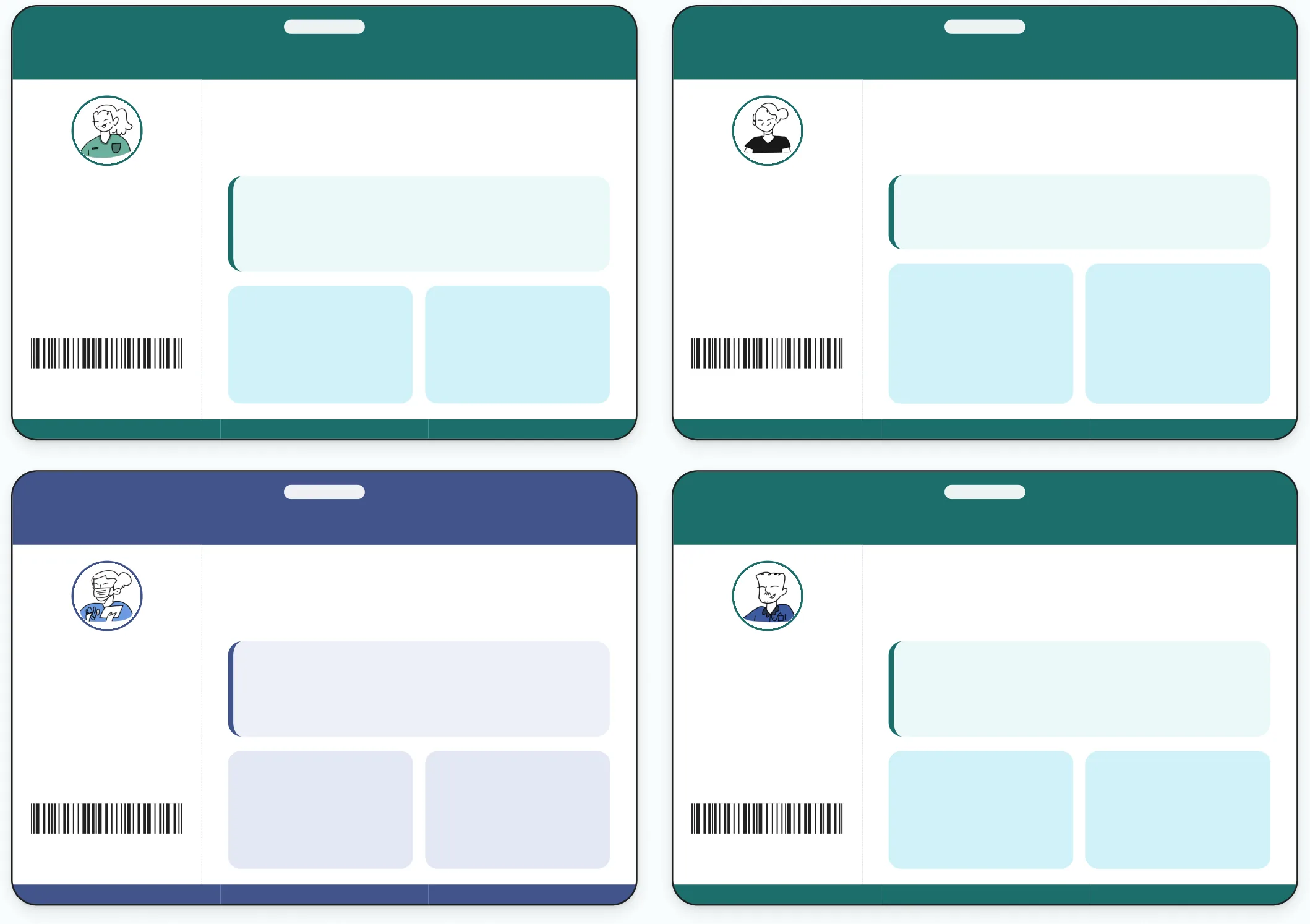
Infusion Pump Users
Four people set up a pump in front of us. Each one brings a mental model, the picture of the pump they carry in their head. It decides what they expect each screen and button to do and where they hesitate.
PAEDIATRIC ICU
PAEDIATRIC ICU
INFUSION PUMP STUDY · PARTICIPANT
INFUSION PUMP STUDY · PARTICIPANT
Hema
Nargis
Intern Nurse
Physician Assistant
Experience
Experience
What they said
What they said
13 years · BSc Nursing
6 months · BSc Nursing
Setting
Setting
“A device to be dealt with carefully.”
“I look through everything thoroughly and make sure it all runs smoothly.”
Paediatric ICU, patient present
Paediatric ICU, no patient present
Pump studied
Pump studied
Motivation
Learns by
Volumetric Pump (VIP)
Volumetric Pump (VIP)
Language
Language
Motivation
Learns by
Wants to complete the infusion correctly, under the guidance of her seniors.
Watching her peers and doing the work as her seniors in the ward direct.
Comfortable in English, Hindi
Comfortable in Hindi
Keeps everyone cross- checked, takes on work beyond her role and wants to get home to her kids.
13 years on the ward. Builds her own workarounds when a machine gets in the way.
PICU · VIP · HEMA
PICU · VIP · NARGIS
PAEDIATRIC ICU
PAEDIATRIC ICU
INFUSION PUMP STUDY · PARTICIPANT
INFUSION PUMP STUDY · PARTICIPANT
Mariya
Deswin
Nurse
Biomedical Engineer
Experience
Experience
What they said
What they said
4 years · BSc Nursing
2 years
Setting
Setting
“These patients are very time-sensitive and I have to deal with many of them at once.”
“I’m always a call away. If there’s an issue, people usually call me.”
Paediatric ICU, patient present
Paediatric ICU, no patient present
Pump studied
Pump studied
Syringe Pump (SIP)
Both pumps (VIP, SIP)
Language
Language
Motivation
Learns by
Motivation
Learns by
Comfortable in English, Hindi
Comfortable in English
Wants to do her best work and finish every infusion on time, across 3 to 4 beds and up to 6 pumps.
Asking for help when she needs it. Worked at a private clinic before this ward.
One call away. Briefs staff on new machines and fixes whatever goes wrong with them.
Training passed down to him, not the manuals. Asks his superiors when unsure.
PICU · VIP + SIP · DESWIN
PICU · SIP · MARIYA
What we saw across the four
Three of the four slipped at the same few steps.
Nargis and Deswin both typed a wrong value first when entering the rate. Hema picked the wrong infusion line. When the intern and the engineer who trains everyone slip at the same step, the problem sits in the interface.
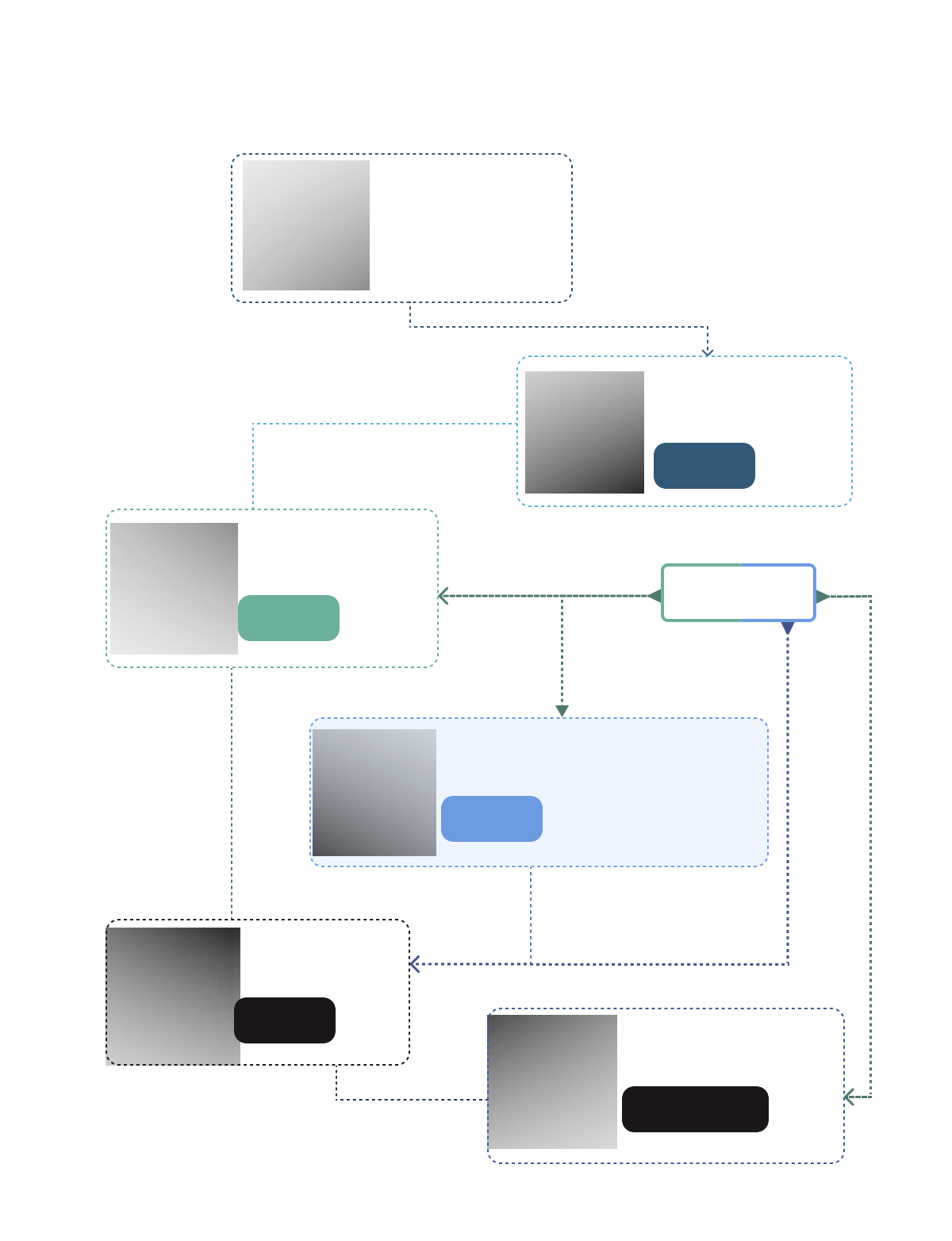
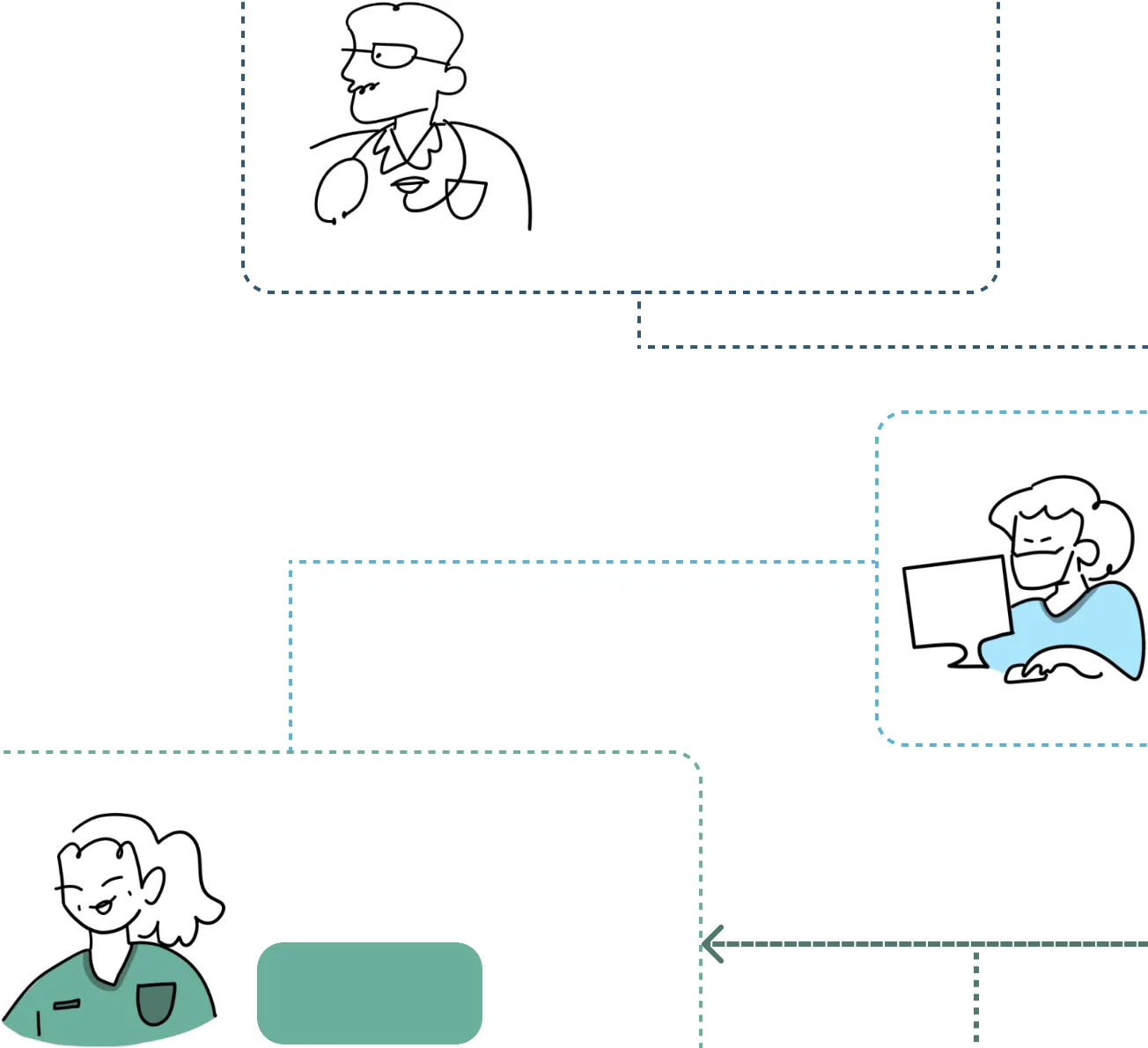
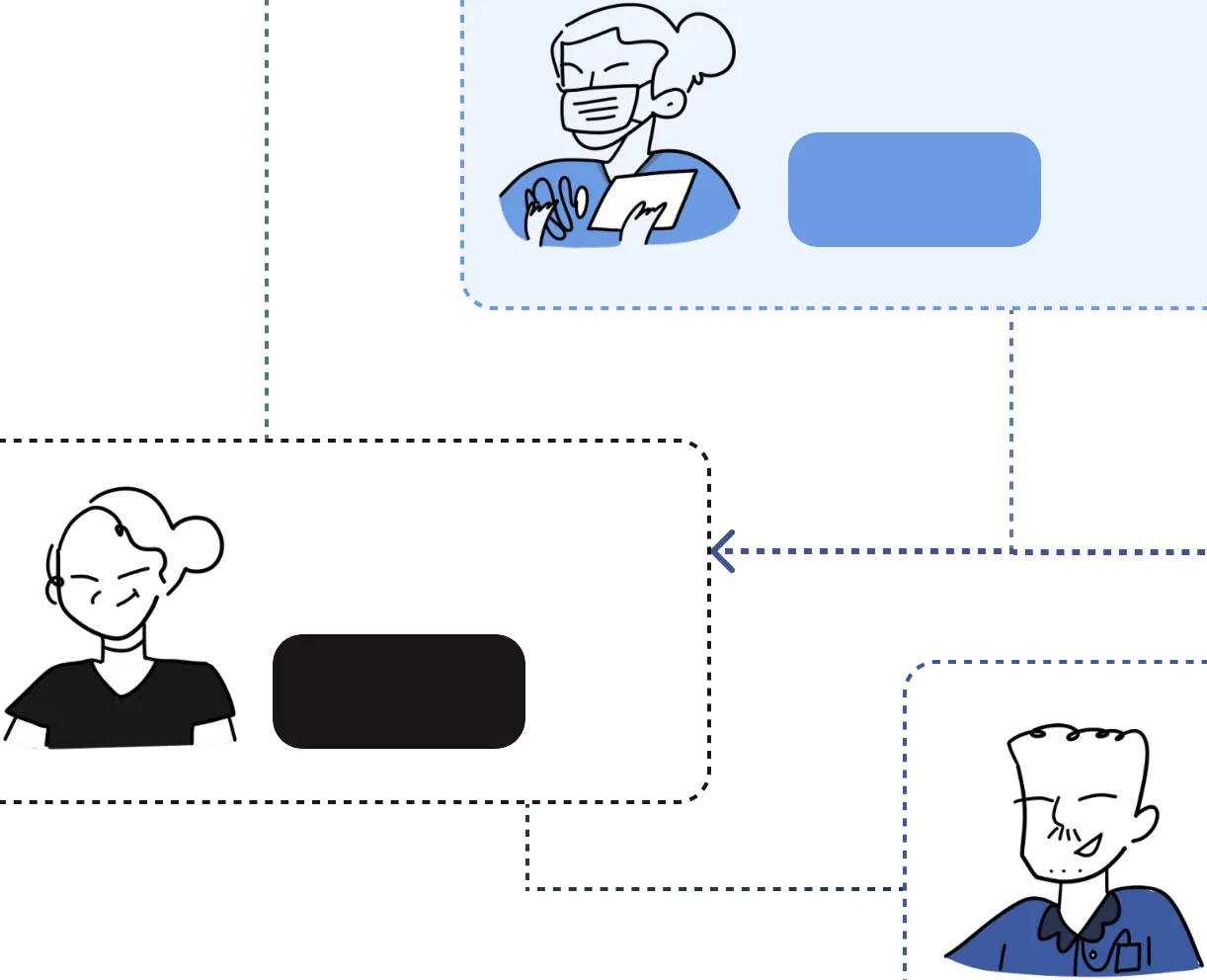
Ecosystem around Infusion Pumps
The pump is the final step in a chain of handoffs, where information can be misread or delayed.
Doctor
consults the patient and writes the prescription in the system.
Shift manager
the order and delegates it to nurses and physician assistants.
present
2in ICU 2
Physician Assistant
checks, organises & supervises nurses and interns
Infusion Pump
present in ICU 2
2
Nurses
transcribe the prescription to the Drug Card and bed chart, prepare and dilute the drug & operate the pump.
present in ICU 2
7
Interns
assist and monitor under supervision.
present in ICU 2
3
Biomedical Engineer
troubleshoot any machine or software issue.
present on demand at all times
1
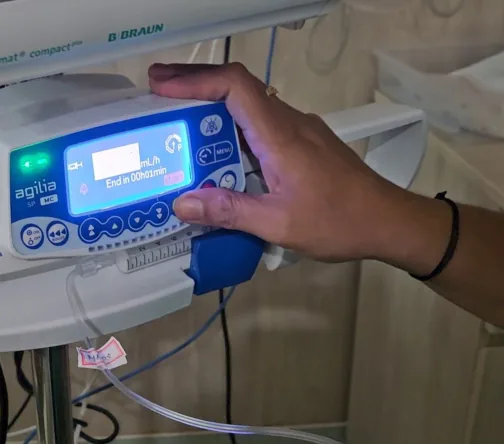
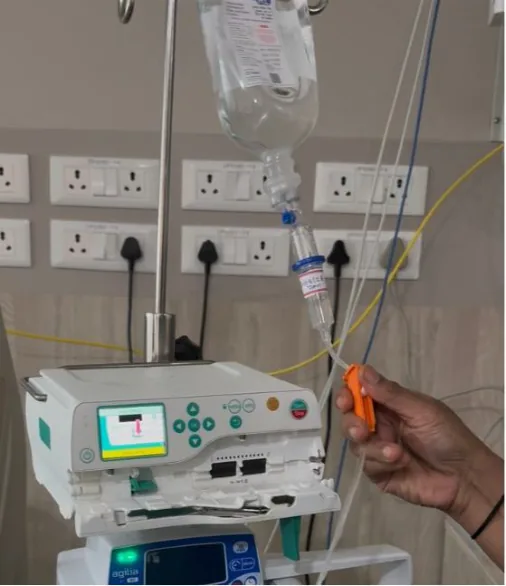
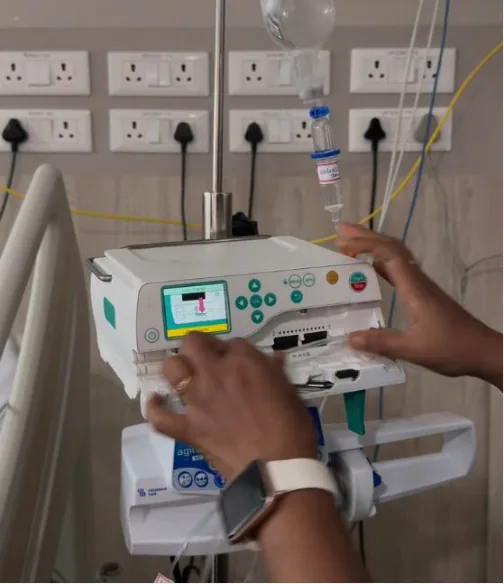
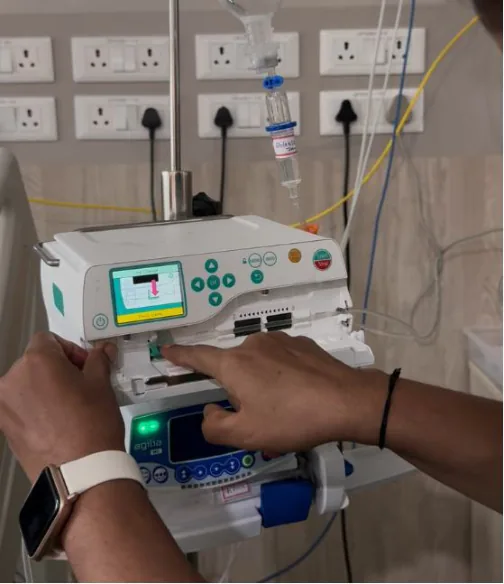
User Journey Map
Two set-ups, step by step, as we watched them. Red steps are where the pump and the user’s mental model disagreed. The rail on the right says what we saw at each one.
Syringe pump, observed with Mariya (nurse), patient present
Where it breaks
Illustrated
Illustrated
Step 1, Read the order
Rushing, keeping other patients in mind at the same time. She keeps a drug card by each bed and works from them.
DRUG
DOSE
PATIENT
Step 3, Prepare the medication
The mix is done from memory. The only check is the marks on the barrel.
Step 1
Read the order
Step 2
Collect equipment
Step 3
Prepare the medication
Step 6, Program the infusion
The number goes from paper to machine only through her head. She watches the key, not the number.
Step 7, Start and verify
Step 4
Load the syringe
Step 5
Power on, confirm syringe
Step 6
Program the infusion
She turns the rate like a dial until the time looks right.
Step 8, Monitor
2
1
She carries this patient’s case in her head while working at other beds.
3
What Mariya told us
1
2
3
SITE
ALARM
RESTART
She runs between three or four beds and can’t keep track of everything. When the mL written on the card and the timing given differ, she goes with time over volume.
Step 7
Start and verify
Step 8
Monitor the infusion
Volumetric pump, observed with Hema (physician assistant), patient present
Where it breaks
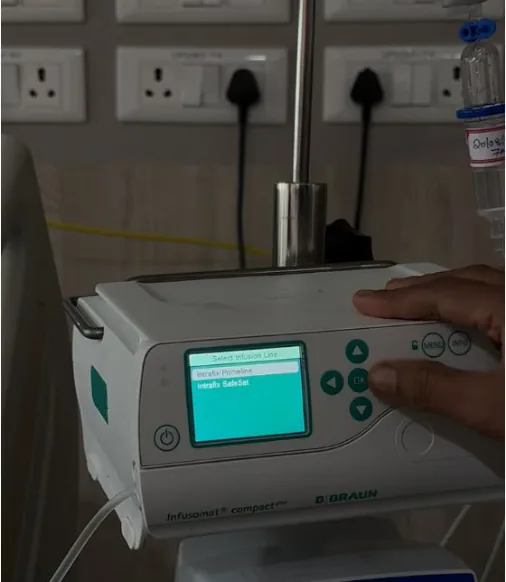
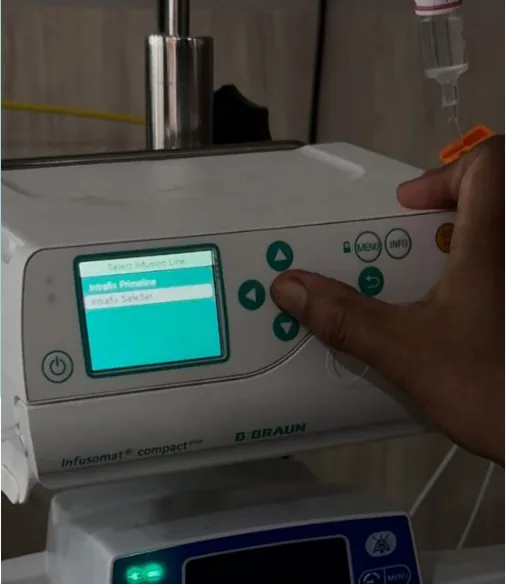
Select infusion line
Paused, looked at both options and picked the wrong line. No feedback for the wrong choice.
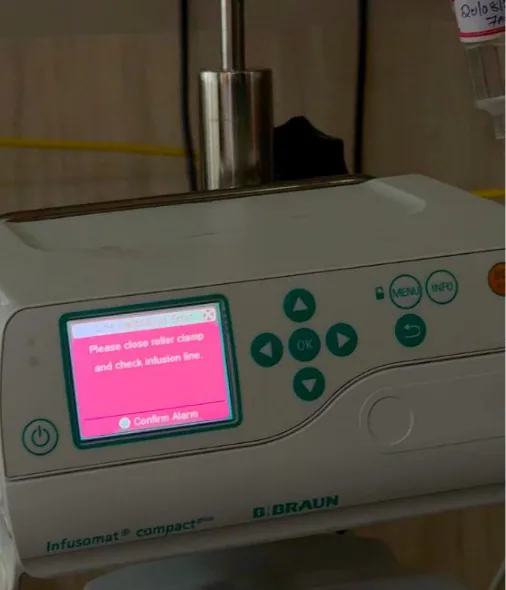
Line calibration error
A pink error screen. Its only button silences the alarm and the instruction together.
Step 2
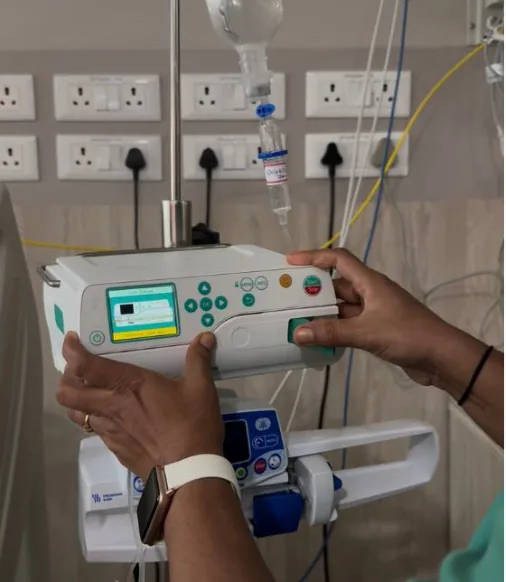
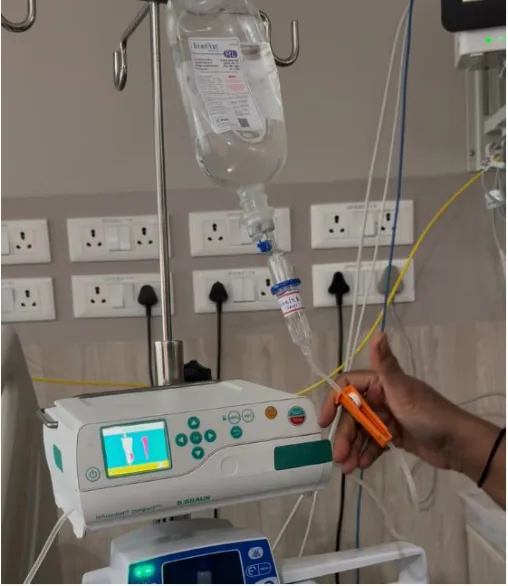
Insert IV line in cavity
Step 3
Press clamp into place
Step 1
Close roller clamp
Recovery loop
It takes five steps to get back. Open the latch, check for kinks, reposition, close and select the line again.
Selection of IV set type: No feedback for the wrong choice
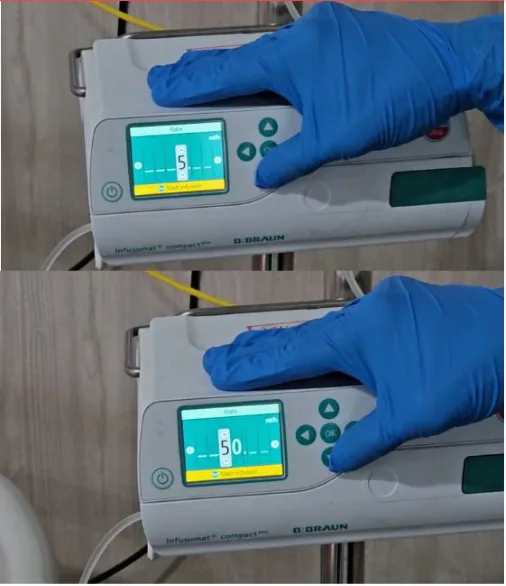
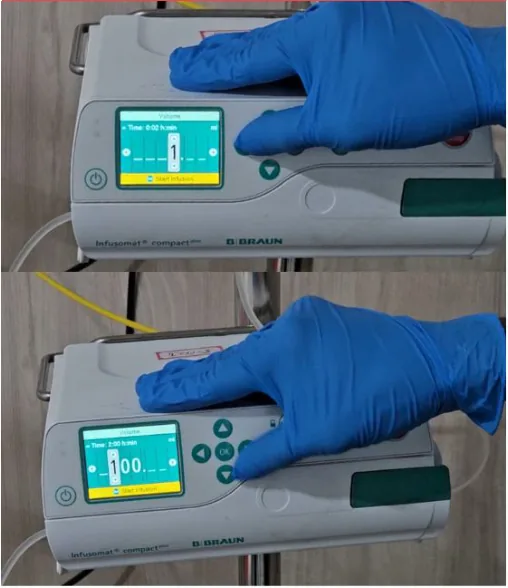
Rate and volume
Digits fill right to left, against the way she reads a number.
What Hema told us
She keeps everything organised and in line and cross-checks other people’s work. She believes in work-life balance. She has kids at home and wants to get back to them.
Step 4
Position IV line again
Step 6
Select infusion line
Step 5
Close the door & latch
Vague Alarm and gets removed entirely in one button
Step 7
Line calibration error
Step 8
Open latch to check
Step 9
Check for kinks in line
Step 11
Close door
Step 12
Set infusion line again
Step 10
Position line again
Input Rate and mental model mismatch: Input right to left
Input Rate and mental model mismatch: Input right to left
Step 13
Input infusion rate
Step 15
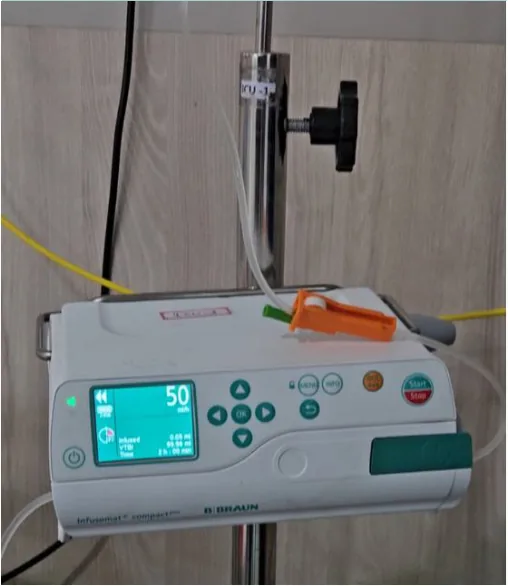
Start infusion
Step 14
Input total volume

In their words
What the PICU staff told us about their work. The first row is paraphrased from our conversations. The second row is in their own words.
What they told us, paraphrased
Hema, physician assistant
Mariya, nurse
Deswin, biomedical engineer
Paediatrician
She keeps everyone in line and cross-checks their work. She takes on work beyond her role to prove herself and still wants to get home to her kids on time.
She rushes between three or four beds and goes by the clock more than the mL. She keeps a drug card by each bed and works from them.
He decides what each patient needs and puts it in the system. The nurses and in-charges coordinate from there. He sees a patient himself when a check-up is needed and hands extra tasks to staff who ask for more. Overall he oversees the ward and the patients who need a consultation.
Always one call away. When a pump misbehaves, they call him. He briefs staff on new machines and learnt the pumps from someone else’s training, not the manual.
What they said
“I am working morning and night shifts alternatively, always alert on call.”
“I picked it up from my first briefing. Within a day or two I knew the pump and was confident using it.”
“I have to always stay on my toes, navigating between multiple patients in a day.”
“I am always a call away.”
Deswin, biomedical engineer
Hema, physician assistant
Mariya, nurse
Nargis, intern nurse
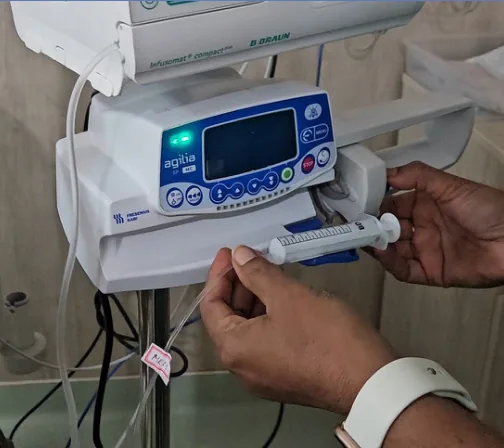
A workaround on the ward, syringe pump
When the last mL won’t push, Hema wedges a cap between the back of the syringe and the pump’s jaws.
She does the same to make syringes fit that otherwise wouldn’t. Deswin mentioned that this was a problem in the system and that it had to be worked around. For the staff on the floor the infusion has to get done. A workaround is a sign the interface has failed the person using it.
Observed on the floor
3 systems, 1 whiteboard and 3 logbooks are in use on the floor at all times.

Synthesis of problem areas
Volumetric
Analysing problem areas and design opportunities.
Syringe
Design opportunities
1. Calibration error
2. Rate and volume entry
3. IV set selection
Several possible causes for the alarm and no clear steps to fix it.
Digits fill right to left, so units and decimals get missed in a rush.
Picking the IV set by name is easy to get wrong. The choice on screen should match the set in hand.
4. Start and Stop placement
5. Display priorities
6. Button icons and layout
Two opposite actions share a small surface, so the wrong one gets pressed.
The rate fills the screen while time left and volume stay small, though staff read pumps from across the room.
No clear OK key. Look-alike icons hide what each button does.

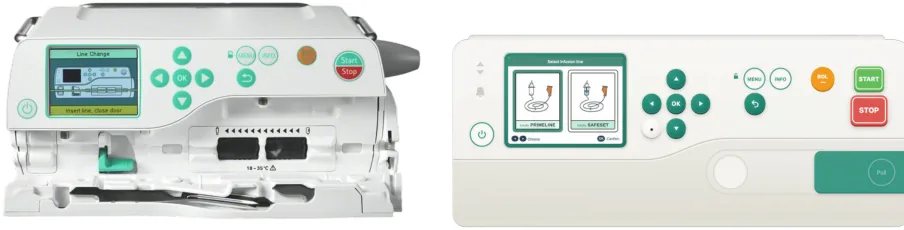
Design Approach
Nurses know these pumps. Changes include control placement, names and screen messages.
Volumetric pump
Syringe pump
agilia
BACK
MENU
SP
MC
ON/OFF
STOP
START
BOLUS
OK
ORIGINAL
REDESIGNED
ORIGINAL
REDESIGNED
B. Braun Infusomat Compact Plus
Fresenius Kabi Agilia SP MC

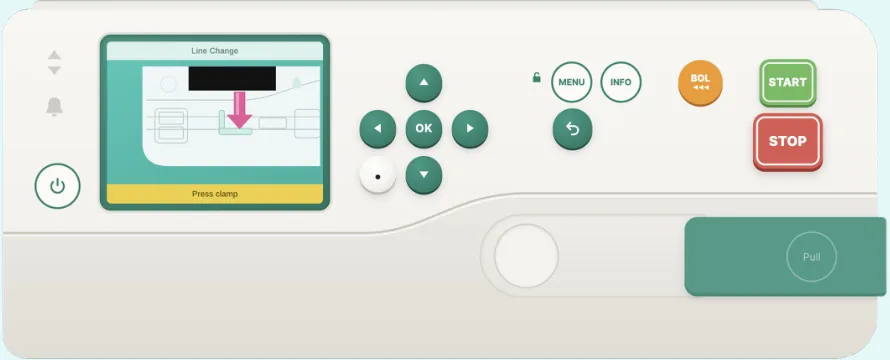
Try the redesigned pump
The volumetric redesign, built in HTML to run in the browser.
Click here to see prototype
Prototype built in Claude Design
REDESIGNED VOLUMETRIC PUMP
Redesigning the screens and buttons
Each change keeps the familiar shape and fixes the logic underneath.
We redesigned the controls we could build into a working simulation first. The rest is listed under future scope.
Volumetric pump
1
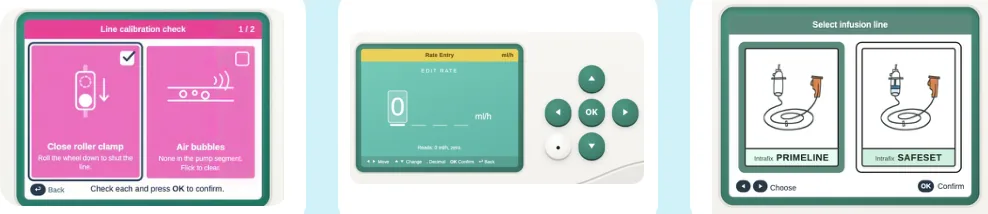
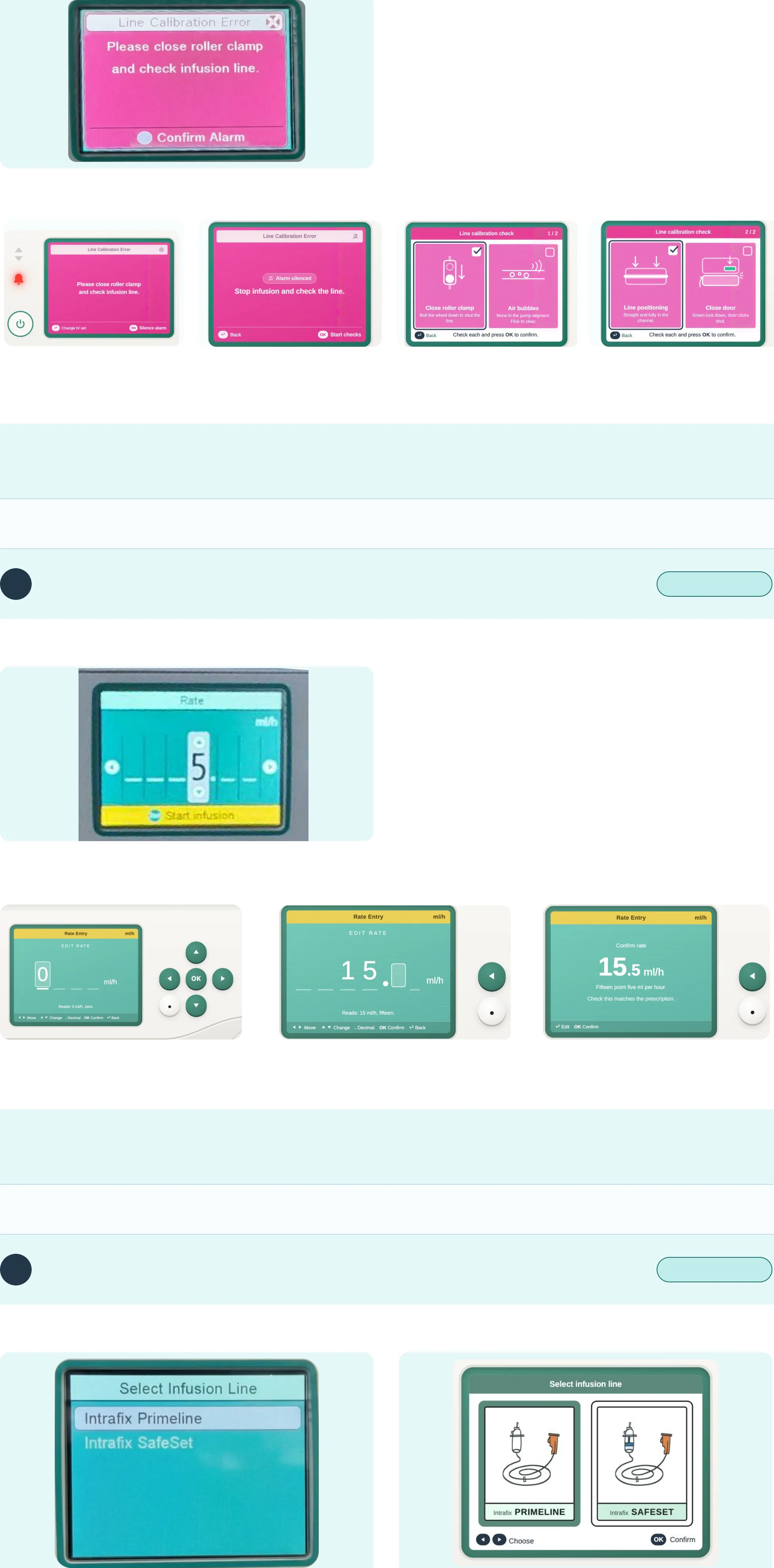
No way forward after the line calibration error
BEFORE
THE PROBLEM
A warning reads “Line Calibration Error. Close roller clamp and check infusion line.” Its only button, “Confirm Alarm”, silences the beep and the instruction. Nurses tap it, move on and get stuck again.
THE CHANGE
Four checks. The alarm is silenced in the first step so the nurse can focus on the checklist.
AFTER
4: “Line calibrated”, go to rate
1: Silence the alarm, keep the error
2: Check clamp and air bubbles
3: Check line position and door
WHY IT WORKS
The error stays visible until it is fixed and each check is shown, not described.
Seen in Hema’s volumetric journey, steps 7 to 12
Volumetric pump
2
Rate and volume entry against the mental model
BEFORE
THE PROBLEM
The pump fills digits right to left. To enter 80 mL/h, the nurse sets the units digit (0) first, then the tens digit (8). Sometimes the wrong value goes in and has to be corrected.
THE CHANGE
The cursor starts in the first box and types left to right. A separate key adds the decimal point.
AFTER
Cursor starts on the first box, reading “0 mL/h”.
Each digit can be set with the directional arrows before a decimal point.
The decimal point has a button of its own near the other keys.
WHY IT WORKS
Input order matches reading order and the read-back catches a wrong value before OK.
Seen with Nargis and Deswin, who typed a wrong value first; volumetric journey, steps 13 and 14
Volumetric pump
3
Selecting the IV set by name
BEFORE
AFTER
“Select Infusion Line” shows Intrafix Primeline and SafeSet. Both start the same and a default set is highlighted. Nurses often accept the highlighted row without checking.
Use picture cards instead of text. Each card shows an
illustration and name, positioned to align with left and right keys.
WHY IT WORKS
The picture matches the IV set in hand.
Seen in Hema’s volumetric journey, step 6
Volumetric pump
4
Start and Stop sit too close
BEFORE
AFTER
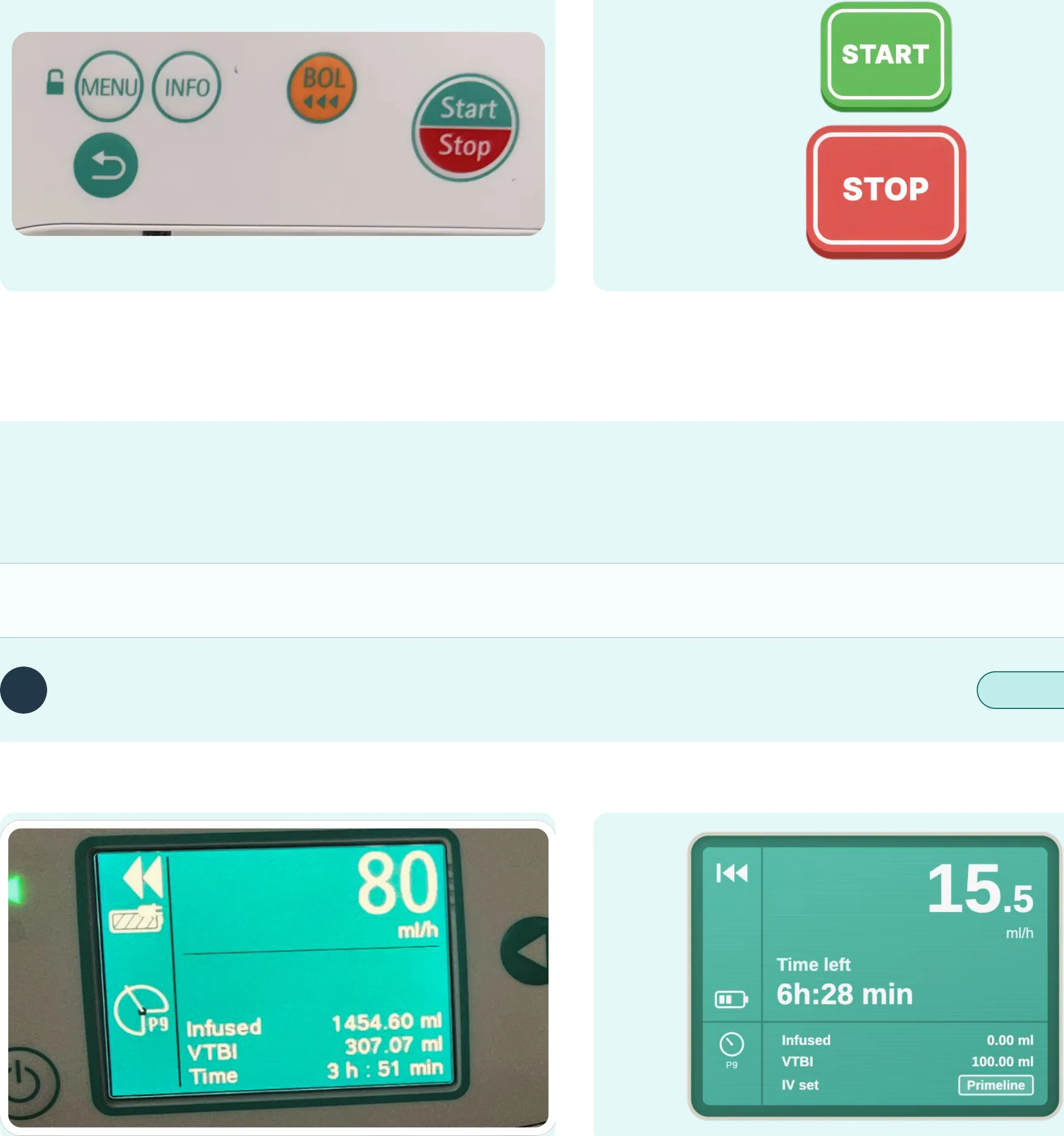
Start and Stop share a split button, red on top and green
Start and Stop become two separate physical keys. Stop
below. Two actions sit close together, making it easy for a hurried nurse to press the wrong half.
is red, the largest key and the easiest to reach. Start is green.
WHY IT WORKS
Start is where the programmed dose reaches the child, so it takes a deliberate press at the end of set-up. Stop is larger and red, so it is easy to find under stress.
Seen in the Gestalt review of the volumetric front panel
Volumetric pump
5
Display screen priorities
BEFORE
AFTER
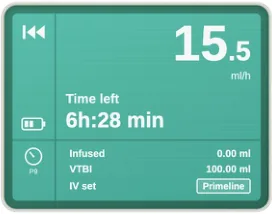
The rate fills the screen. VTBI and time are small. Nurses check pumps from afar, often asking, “how long until this runs out?”
Rate first, time left second, then infused and VTBI below. The unit is readable and tagged for quick reference.
WHY IT WORKS
Built for a nurse watching up to six pumps across three or four beds. Rate stays on top and time left moves up from the bottom to second, because that is what staff check from across the room.
Seen in Mariya’s syringe journey, steps 7 and 8
Syringe pump
6
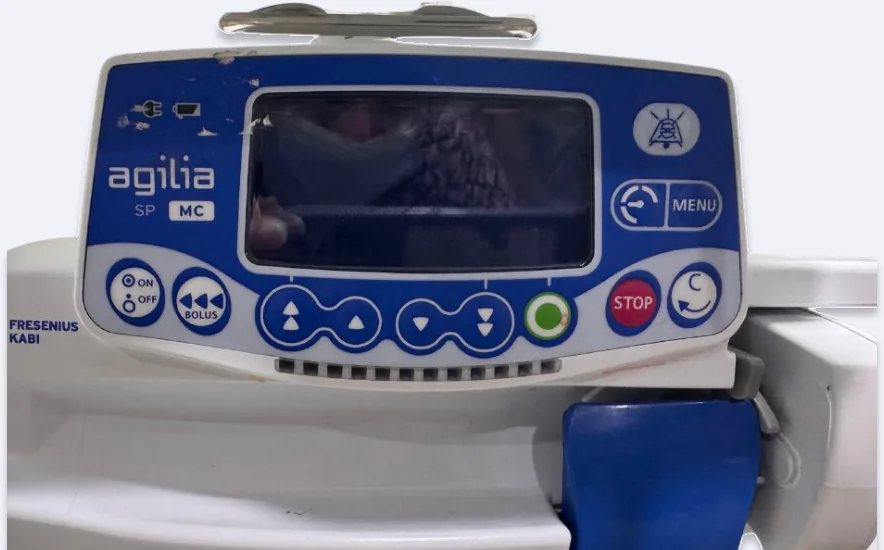
Syringe display and button layout
BEFORE
AFTER
agilia
BACK
MENU
SP
MC
ON/OFF
STOP
START
BOLUS
OK
LOOK-ALIKE KEYS
LOOK-ALIKE KEYS
ON/OFF, Bolus, Menu, Back look alike.
Grouped by role: navigation, confirm, action.
HIGH-RISK ACTION
HIGH-RISK ACTION
Bolus is not set apart from routine keys.
Bolus is amber, Stop red, Start green, each a distinct shape.
ARROWS
ARROWS
Arrows conflict with natural left and right.
Arrows follow the numeral system.
CONFIRM AND BACK
CONFIRM AND BACK
No dedicated OK. The circular back arrow reads as refresh or cancel.
Explicit OK and Back labels replace ambiguous symbols.
WHY IT WORKS
Recognition over recall and risk differentiation on the high-consequence keys.
Seen in the Gestalt review of the syringe front panel; Mariya’s syringe journey, step 6

Key Takeaways
High risk sits off-screen
Memory over checks
Drug dilution is the riskiest step, yet the pump gives no help.
Values are entered from memory, which skips safe verification.
Future scope, yet to explore
What we saw on the ward but have not designed for yet.
Drug labelling
Drug card position
Cables across the patient
Start and Stop across devices
Medicines are labelled by hand on stickers stuck to IV bags and syringes.
The drug card has no fixed place near the patient’s bed.
The pump and the monitor sit on opposite sides, so cables cross the child and block the view of the vitals.
We are working out how Start and Stop should sit across the different pumps on the ward, so habits carry over safely under stress.
The last 2 mL
Unused settings
Possible dosage issue
The syringe pump stops before the syringe is empty, so staff wedge a cap in to push the rest.
Settings on the device that the nurses do not know exist.
A dosage reading in the software that may be off and needs checking with the biomedical team.
What’s next
We are now testing the redesign with the PICU nurses and collecting their feedback. Early responses say the buttons make sense, so we are looking into it further. Running it in a simulation would show us what still needs work.

With thanks to the Paediatric staff at Manipal Hospital, Yelahanka.